Undo
Rebuilding the core item movement experience to reduce friction and unlock scale for growing operations.
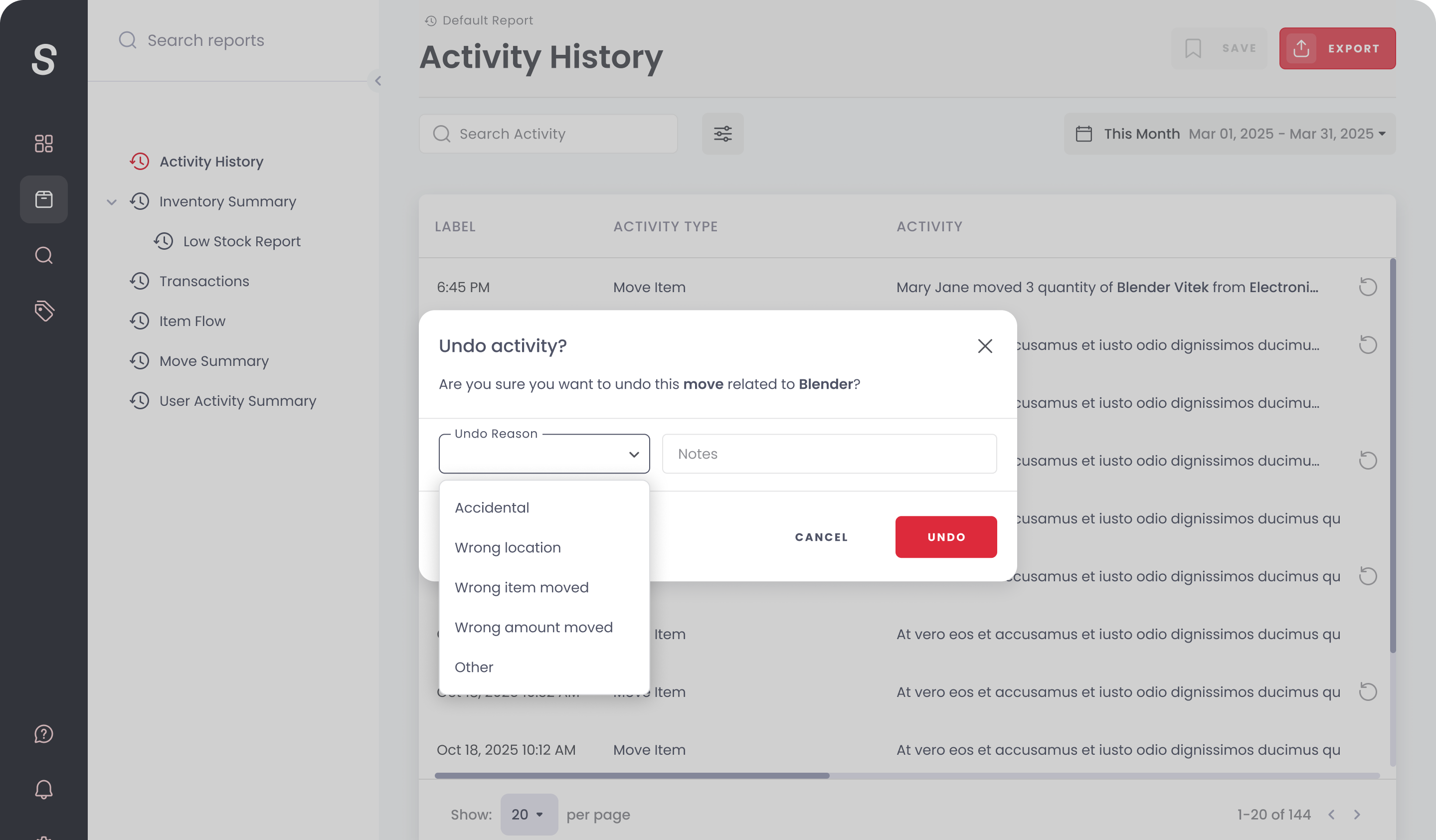
Moving items in Sortly — between folders, locations, and assignees — is the most frequent action in the product. Yet it was also one of the most complained-about. This project rebuilt the movement flow end to end: faster on mobile, cleaner on web, and smart enough to handle the edge cases that were quietly breaking trust.
Moving items required too much memory and too many taps.
The movement flow assumed users always knew exactly where they were going. In practice, they didn't — especially on mobile, where folder navigation was linear and unforgiving. Moves couldn't be previewed, undone, or batched. When a user accidentally moved 40 items to the wrong folder, recovery was a manual process. The experience optimised for the simple case and ignored the real one.
Movement-related actions account for over 60% of all item interactions in Sortly. A combination of funnel analysis, session recordings, and a diary study with 12 power users revealed where the flow was quietly losing people — and why.
60%+
of all item interactions are movements
3.4
average taps to complete a simple move (goal: 2)
22%
of moves abandoned mid-flow on mobile
Power users had built elaborate workarounds: they'd use the search bar as a navigation shortcut, open items in multiple tabs to remember context, and export CSVs just to cross-reference locations. The product was making experts work around it.
We rebuilt movement around three principles: fewer decisions upfront, smarter defaults, and a clear undo path.
Destination Intelligence
The folder picker now surfaces recent and frequently-used destinations at the top. For users with established patterns, the right folder is usually one tap away. The full folder tree remains accessible, but the default state is optimised for how people actually work.
Batch Move
Select any combination of items and move them to one or more destinations in a single flow. Items moving to different folders go their separate ways — no need for multiple operations. Built for end-of-shift resets, post-event cleanups, and any scenario where more than one thing needs to move.
Movement History & Undo
Every movement is now logged with timestamp, actor, source, and destination. A single undo action reverses the last move — no need to know where something came from. For larger mistakes, history provides the full audit trail needed to recover.
Mobile-First Redesign
The mobile movement experience was rebuilt from scratch. Bottom sheets replace full-screen modals, folder navigation is now breadcrumb-driven, and the most common action — move to a recent location — is a single tap from the item card. Field teams can move inventory without breaking their flow.
Shipped in Q2 2024, the new movement flow reduced average move completion time and immediately improved mobile retention metrics. The batch move feature became the most-used new capability that quarter. Movement-related support tickets declined significantly, and the undo function — initially considered a "nice to have" — became one of the most-cited features in post-launch NPS responses.
38%
reduction in average move completion time
22%
drop in abandoned move flows on mobile
Most used
new feature of Q2 2024